In order to Isolate a vpn from other vpn we should use vpn Membership in Topology section of vmanage.
VPN membership (Who receives routes, it is route visibility control with filtering for Segmentation).This determines which VPN routes are advertised to which sites. [helps define who can join which VPN and who can learn its routes.] It is closer to VRF route distribution control.
It is used to:
- control which sites participate in specific VPNs
- restrict reachability between certain sites
- allow or deny route propagation per VPN
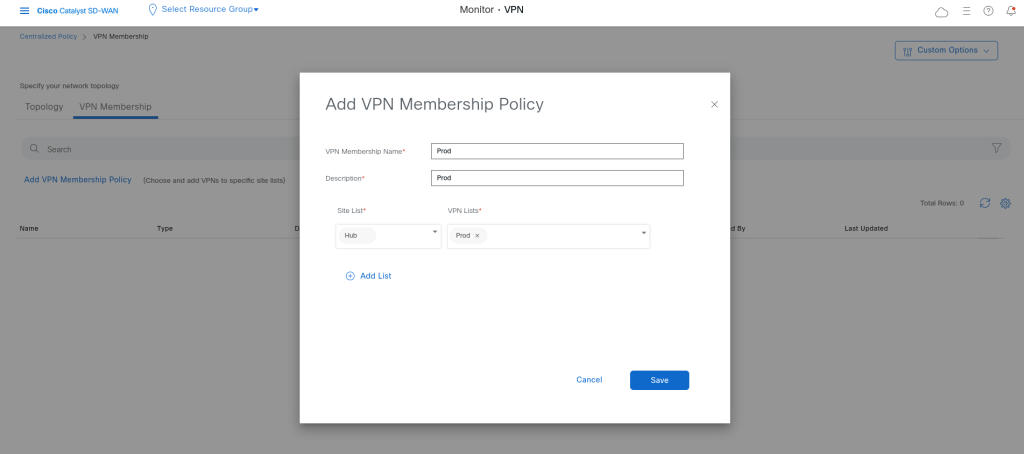
After defining the vpns in vpn list we can add our topology policy and also Vnp membership policy:
I specified Prod vrfs here whcih means only vpn list Prod can be communicate with each other, the other vpns/vrfs are isolated.
Policy:
viptela-policy:policy
 vpn-membership vpnMembership_-137978950
    sequence 10
     match
      vpn-list Prod
     !
     action accept
     !
    !
  default-action reject
 !
 control-policy Hub-Spoke-Topology
    sequence 1
     match tloc
      site-list Hub
     !
     action accept
     !
    !
    sequence 11
     match route
      site-list Hub
      prefix-list _AnyIpv4PrefixList
     !
     action accept
     !
    !
    sequence 21
     match route
      site-list Spokes
      prefix-list _AnyIpv4PrefixList
     !
     action accept
      set
       tloc-list DC-Tloc
      !
     !
    !
  default-action reject
 !
 lists
  site-list Hub
   site-id 100
  !
  site-list Spokes
   site-id 1001-1003
  !
  tloc-list DC-Tloc
   tloc 10.10.23.6 color public-internet encap ipsec
  !
  vpn-list Prod
   vpn 1
  !
  prefix-list _AnyIpv4PrefixList
   ip-prefix 0.0.0.0/0 le 32
  !
 !
!
apply-policy
 site-list Spokes
  control-policy Hub-Spoke-Topology out
 !
 site-list Hub
  vpn-membership vpnMembership_-137978950
 !

Leave a Reply