In this lab, I am using the Cisco SD-WAN Sandbox environment to build and test a Hub-and-Spoke topology.
By default, Cisco SD-WAN allows sites to exchange routes dynamically and build direct communication paths between branches.
However, in many enterprise environments, this is not always the desired design.
Here is the topology:
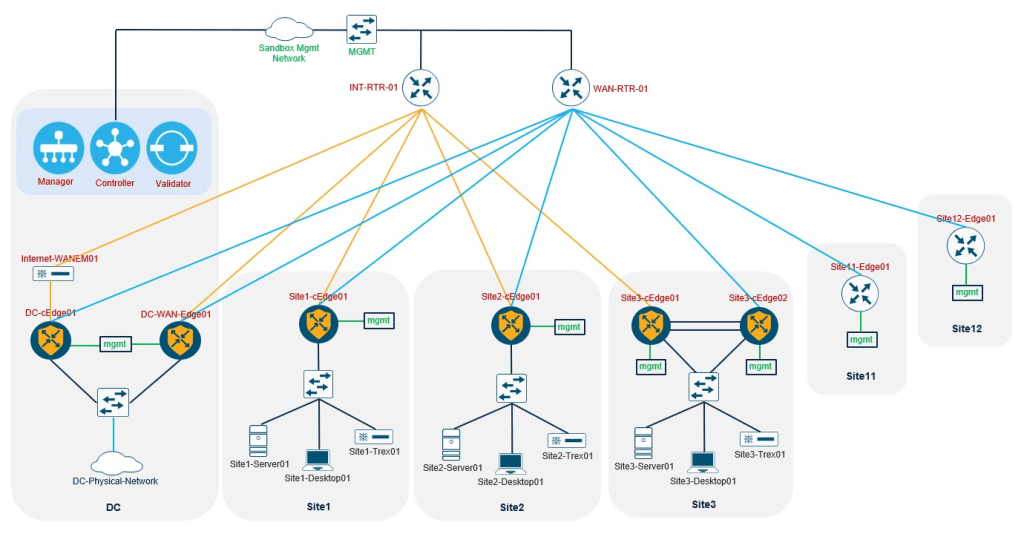
In my scenario, I want to configure the topology so that:
- The Data Center (DC) acts as the Hub
- The SD-WAN branch sites act as the Spokes
- Spokes must not communicate directly with each other
- All inter-site communication should go through the DC
This design is useful when centralized services such as security inspection, firewalls, authentication servers, or internal applications are located in the Data Center.
Hub-and-Spoke is not mainly created by physical cabling — it is created by route advertisement control.
Even if the WAN Edge routers are part of the same SD-WAN fabric, we can control which routes are advertised to which sites.
That means:
- The DC should learn the branch routes
- Each spoke should learn the DC routes
- But spokes should not learn routes from other spokes
As a result, direct branch-to-branch communication is prevented.
At first lets look ad the current BFD sessions on a cEdge:
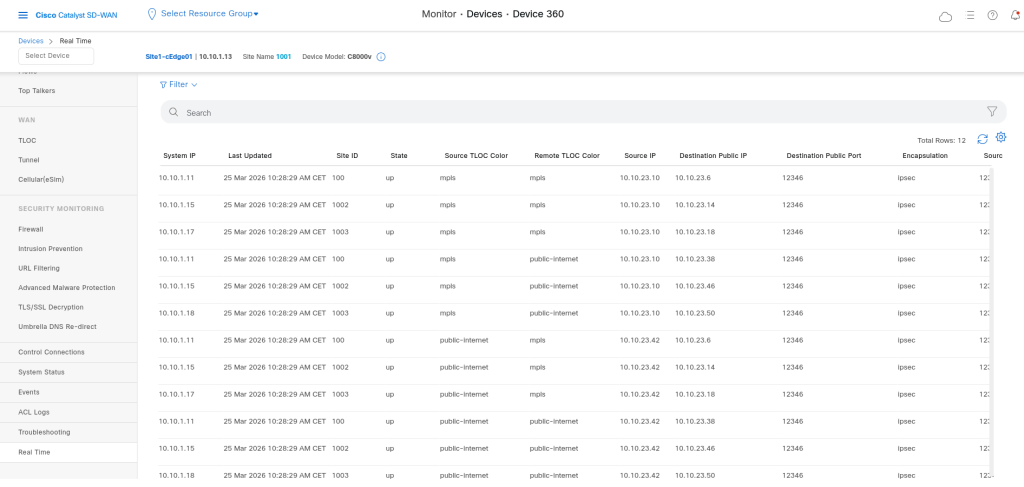
We can see every edge device has BFD session with the other edges. That is a full mesh topology. By default if there is no restrictions, every edge device has the Tloc of other edge, so it will try to make a tunnel with that.
In order to have a Hub & Spoke Topology we should change this behavior, as you know in cisco SD-WAN we have vsmart which is contains the control plain of the fabric, here like Route-Reflector for OMP. We can filter the Tlocs and also routes or change them, so we can have the different topology.
I go to the Policy Tab in vmanage and add a new central policy.
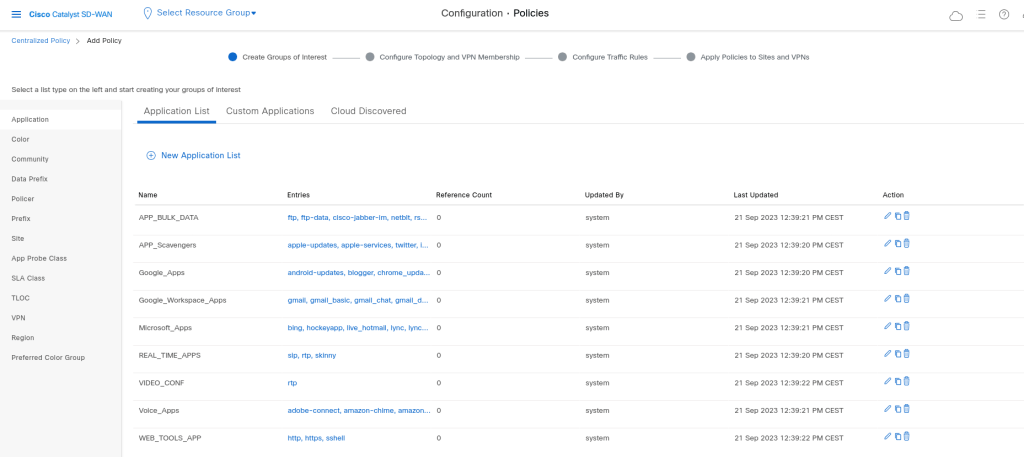
If we use the wizard we will see the Groups of Interest, here we can define the objects which we can use later in our policy:
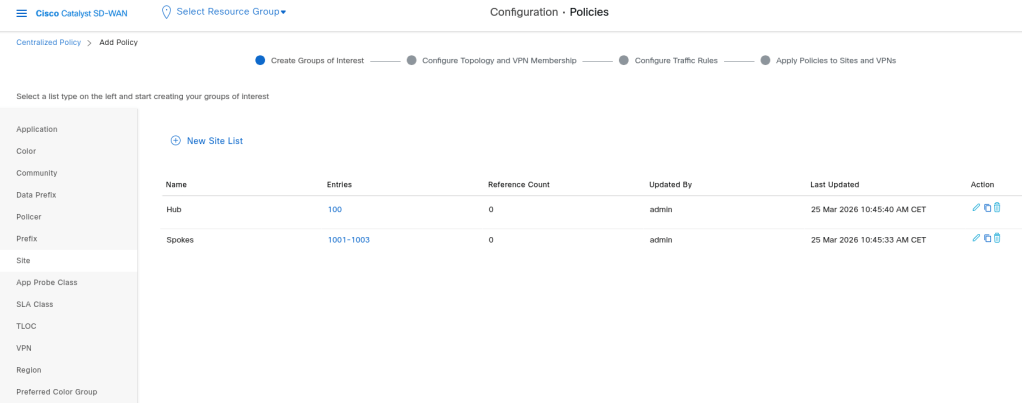
So I need to define site 1-3 as Spoke and DC as Hub:
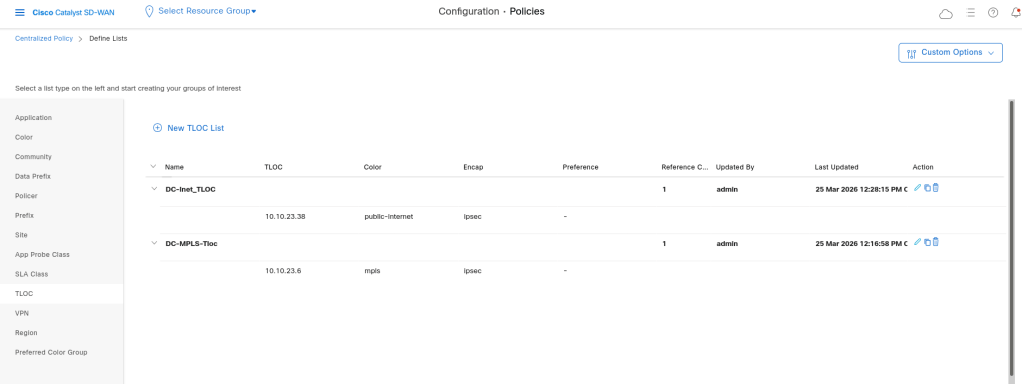
I also add two DC-Tlocs for Internet and MPLS which i want to use them in my topology policy:
The next step is to define topology, we can use Hub-and_spoke or Custom control to create our topology:
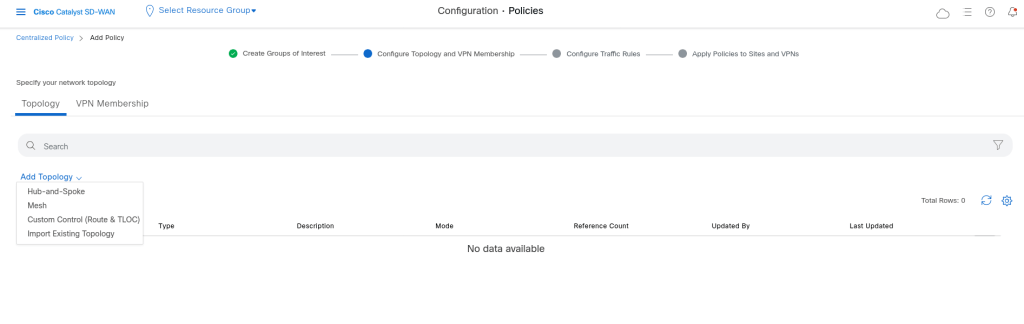
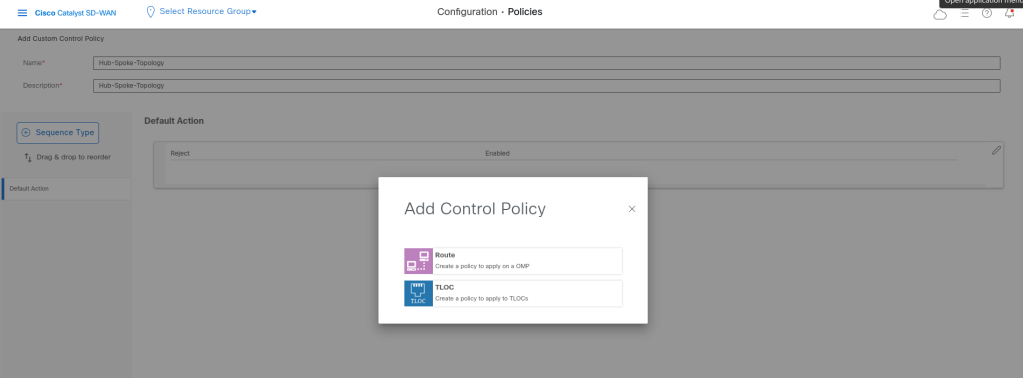
I want to use Custom Control. With filtering Tloc of the branches and allowing only the tloc of DC we can have the tunnels only between the DC and Branches.
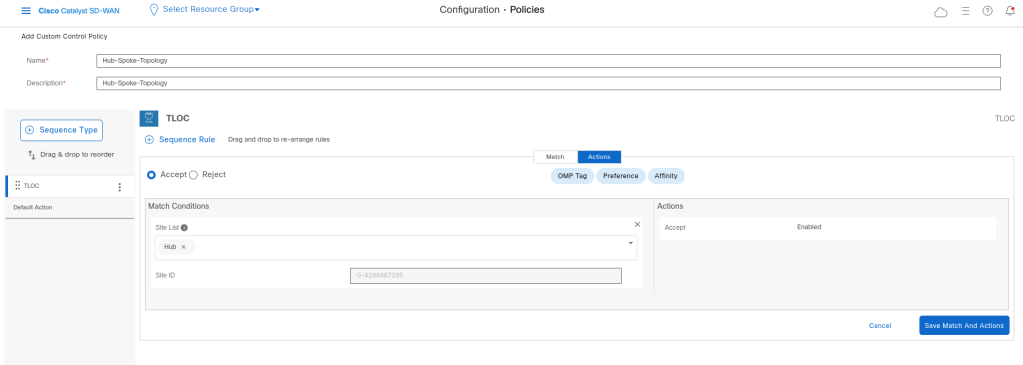
So I allow the DC tloc and the default action is deny, juct like an ACl:
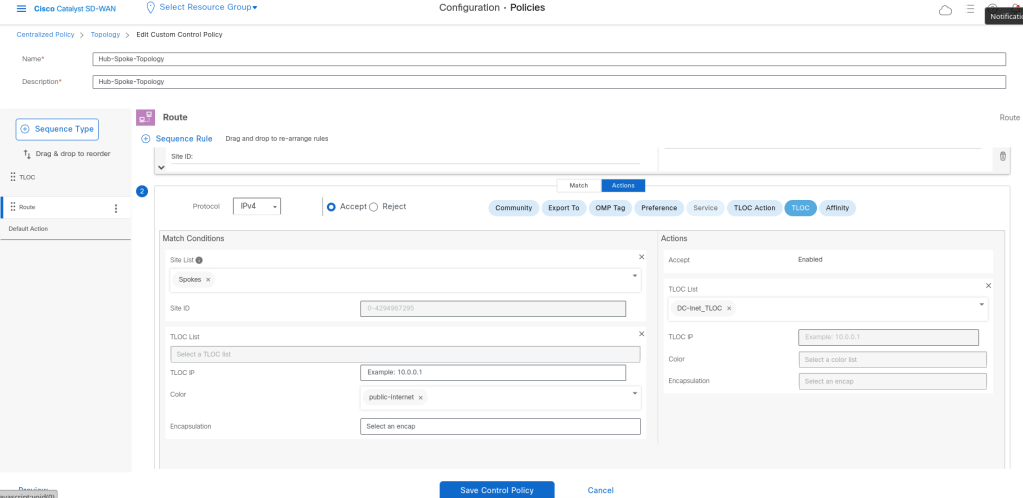
In route polcy I want to allow the routes of DC at first, and then change the Tloc of the Branch routes to DC-Tloc.
The condition should be like that: If the route is a spoke route and the coler is Internet the tloc for that route should be changed to DC-Inet-Tloc, and if the route is from Spoke but with MPLS color it should be changed to DC-MPLS-Tloc. We should do that because we have 2 colors which they don’t have connectivity with each other.
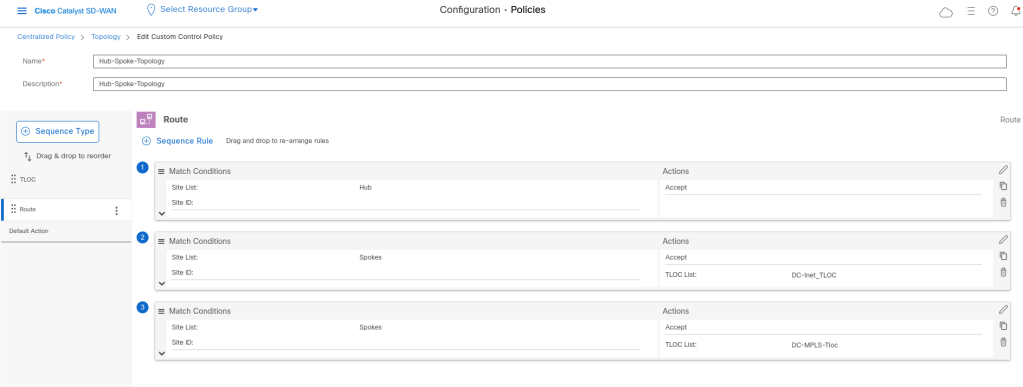
For this scenario we don’t have any AAR or other traffic Policies. So i click next to save the policy.
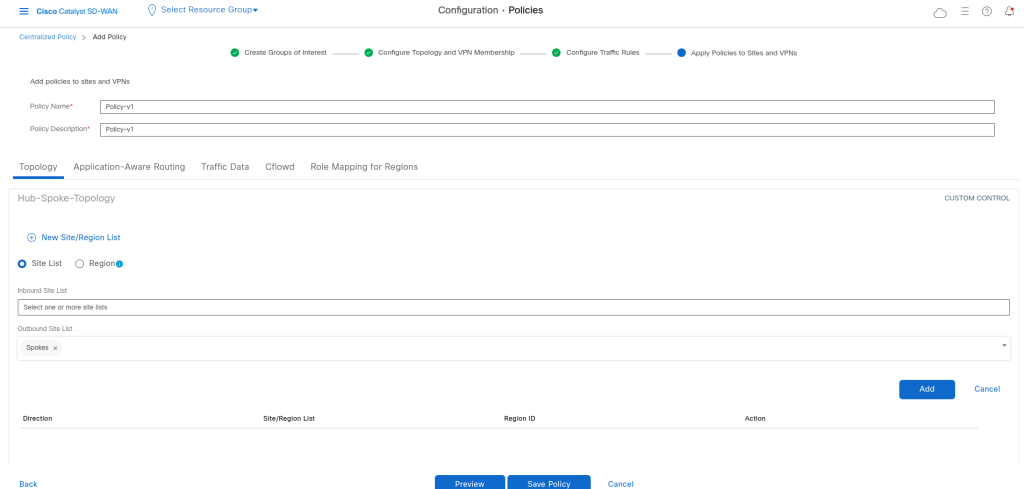
I want that the policy be to be enabled in outbound direction to the Branches/Spokes:
Policy Preview:
viptela-policy:policy
 control-policy Hub-Spoke-Topology
    sequence 1
     match tloc
      site-list Hub
     !
     action accept
     !
    !
    sequence 11
     match route
      site-list Hub
      prefix-list _AnyIpv4PrefixList
     !
     action accept
     !
    !
    sequence 21
     match route
      site-list Spokes
      prefix-list _AnyIpv4PrefixList
     !
     action accept
      set
       tloc-list DC-Inet_TLOC
      !
     !
    !
    sequence 31
     match route
      site-list Spokes
      prefix-list _AnyIpv4PrefixList
     !
     action accept
      set
       tloc-list DC-MPLS-Tloc
      !
     !
    !
  default-action reject
 !
 lists
  site-list Hub
   site-id 100
  !
  site-list Spokes
   site-id 1001-1003
  !
  tloc-list DC-Inet_TLOC
   tloc 10.10.23.38 color public-internet encap ipsec
  !
  tloc-list DC-MPLS-Tloc
   tloc 10.10.23.6 color mpls encap ipsec
  !
  prefix-list _AnyIpv4PrefixList
   ip-prefix 0.0.0.0/0 le 32
  !
 !
!
apply-policy
 site-list Spokes
  control-policy Hub-Spoke-Topology out
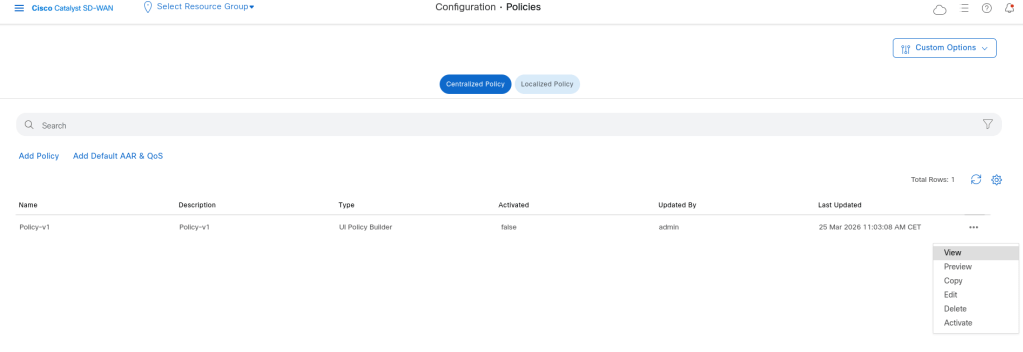
Now the policy should be activated on vsmart:
Now in cEdge we see only sessions between cEdge and DC:
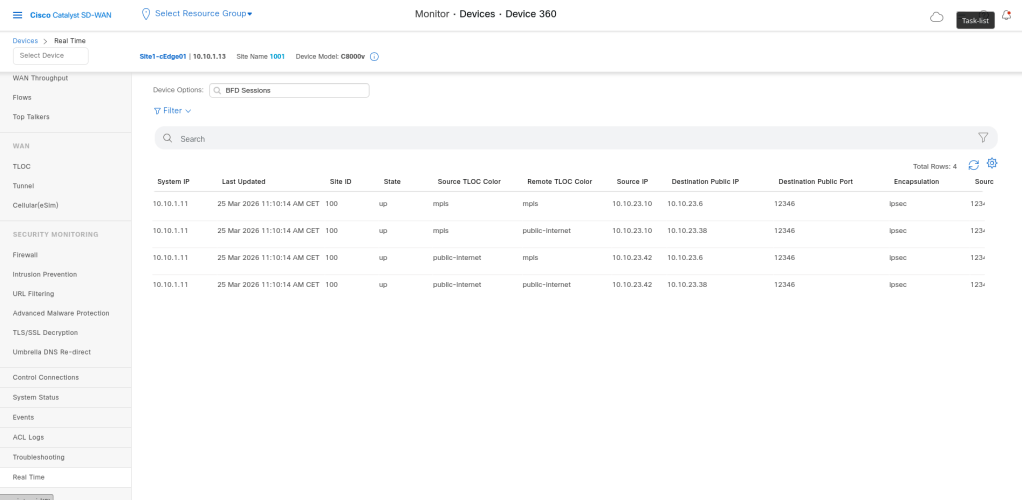
As you see here every tloc has a tunnel with all available Tlocs from other site, but in real word we may have seperate Providers like internet and MPLS providers. So it is not possible to reach from the Public internet to Private Mpls network. (in our senario as it is a Lab and all IP arrderr are private we see the sessions between Internet and MPLS.)
So to fix this, we can use restrict options
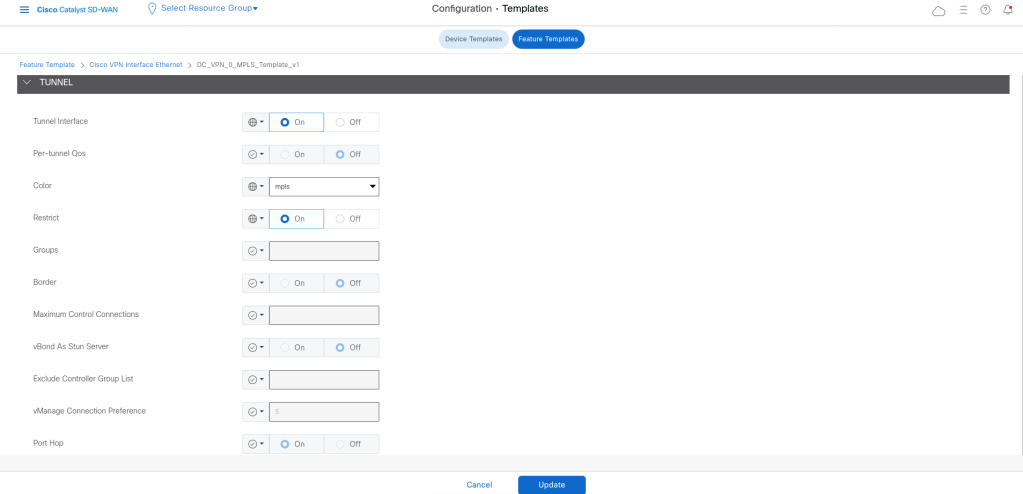
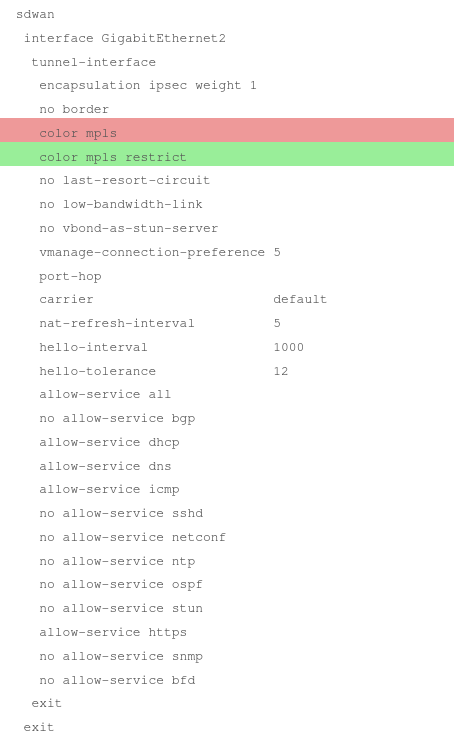
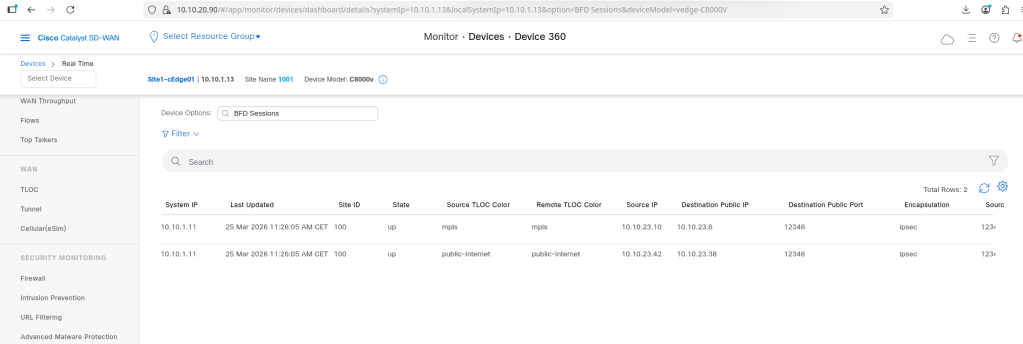
Now we see the result:
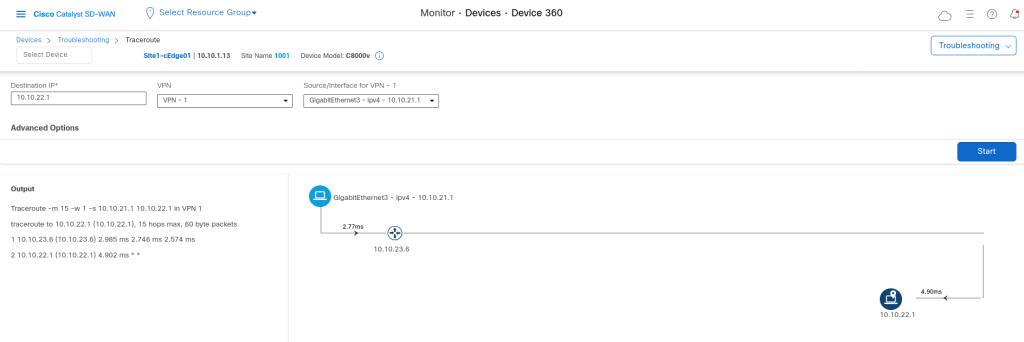
Trace route from site 1 to site 2:
As you can see the trace route goes at first to Hub and then to other spoke.
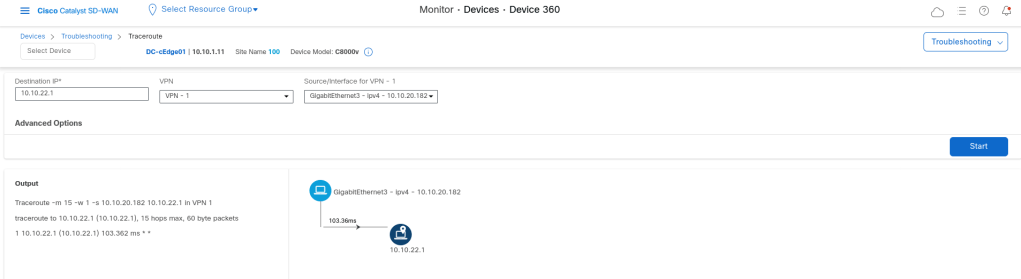
Trace route from DC site:

Leave a Reply