When working with Cisco SD-WAN, one of the first real challenges engineers face is onboarding devices—especially understanding the differences between vEdge (Viptela OS) and cEdge (IOS-XE SD-WAN).
At first glance, both follow a similar process. But in practice, there are important differences in behavior, commands, and even mindset.
In this post, I’ll walk through the onboarding process step by step, explain what really happens behind the scenes, and highlight key differences and common pitfalls.
Onboarding a device in Cisco SD-WAN means:
- The device authenticates itself using certificates
- It establishes secure control-plane connections to:
- vBond (orchestrator)
- vSmart (control plane)
- vManage (management plane)
- It becomes part of the overlay fabric
The very first step is simple but critical:
The device must be able to reach vBond over the network.
For this post I want to consider only about the On-boarding topic, so because of that I created a simple topology.
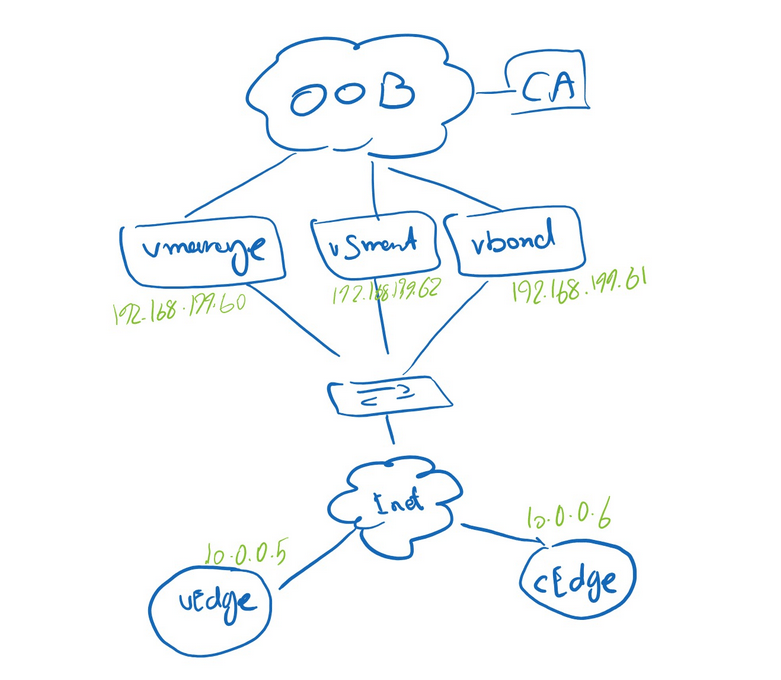
Step 1: Initial Connectivity
Basic Controllers Configuration:
Vbond Config:
vedge# conf t
vedge(config)# system
vedge(config-system)# host-name vbond
vedge(config-system)# site-id 1
vedge(config-system)# system-ip 1.1.1.61
vedge(config-system)# organization-name "Saeed"
vedge(config-system)# vbond 192.168.199.61
vedge(config-system)# vbond 192.168.199.61 local
vbond(config-system)# vpn 0
vbond(config-vpn-0)# interface ge0/0
vbond(config-interface-ge0/0)# ip address 192.168.199.61/24
vbond(config-interface-ge0/0)# no shut
vbond(config-interface-ge0/0)# no tunnel-interface
vbond(config-interface-ge0/0)# ip route 0.0.0.0/0 192.168.199.254
vbond(config-vpn-0)# commit
vManage Confog:
vmanage# config terminal
vmanage(config)# system
vmanage(config-system)# site-id SITE-ID
vmanage(config-system)# system-ip SYSTEM-IP
vmanage(config-system)# organization-name "ORGANIZATION-NAME"
vmanage(config-system)# vbond IP-ADDRESS
vmanage(config-system)# ntp server NTP-IP-ADDRESS    <-- OPTIONAL
vmanage(config-system)# vpn 0
vmanage(config-vpn-0)# ip route 0.0.0.0/0 NEXT_HOP
vmanage(config-vpn-0)# interface eth0
vmanage(config-interface-eth-0)# ip address IP_ADDRESS/PREFIX_LENGTH
vmanage(config-interface-eth-0)# no shutdown
vmanage(config-interface-eth-0)# tunnel-interface
Both vEdge and cEdge require:
- IP connectivity (VPN 0 / transport interface)
- Default route
- Basic system parameters
system-ip→ acts like a router ID (must be unique)site-id→ used for policy and topology decisionsorganization-name→ must match EXACTLY across all devices (case-sensitive!)vbond→ the entry point to the SD-WAN fabric
Unlike vEdge, a cEdge device is originally a normal IOS-XE router.
It must be explicitly converted into SD-WAN mode:
controller-mode enable
Basic cEdge config:
Router#config-transaction
Router(config)# system
Router(config-system)# site-id 3
Router(config-system)# system-ip 1.1.1.80
Router(config-system)# organization-name "Newyorker"
Router(config-system)# vbond 192.168.199.61
Router(conRouter(config)#
Router(config)# hostname cEdge01
Router(config)# commit
cEdge01(config)# int GigabitEthernet1
cEdge01(config-if)# ip add 10.0.0.6 255.255.255.252
cEdge01(config-if)# no shut
cEdge01(config)# int Tunnel 0
cEdge01(config-if)# ip unnumbered GigabitEthernet1
cEdge01(config-if)# tunnel source GigabitEthernet1
cEdge01(config-if)# tunnel mode sdwan
cEdge01(config)# sdwan
cEdge01(config-sdwan)# interface GigabitEthernet1
cEdge01(config-interface-GigabitEthernet1)# tunnel-interface
cEdge01(config-tunnel-interface)# allow-service all
cEdge01(config-tunnel-interface)# encapsulation ipsec
cEdge01(config-tunnel-interface)# exit
cEdge01(config-interface-GigabitEthernet1)# exit
cEdge01(config)# ip route 0.0.0.0 0.0.0.0 10.0.0.5
cEdge01(config)# commit
This triggers a reload.
Certificate Options in Cisco SD-WAN (vManage)
- Cisco-Managed Certificates
This is the default and easiest option in many production deployments.
Cisco signs the certificates for supported devices
The device identity is validated automatically
The onboarding process becomes simpler because you don’t need to operate your own PKI
This method is commonly used with Cisco PnP / automated onboarding and is especially convenient for hardware cEdge routers.
- Enterprise Certificates
We build our own CA (for example using XCA or OpenSSL)
We install the root CA chain into the SD-WAN fabric
Devices generate a CSR
The CSR is signed by your own CA
The signed certificate is then installed on the device
Best for
Lab environments
Learning how SD-WAN trust really works
Enterprises that want full control over PKI
Important note
I will Explain this methiod later in this post.
- Manual Certificate Enrollment
This option is like enterprise process but we should sign the CSR of the controllers with cisco’s CA.
Certificates are handled manually
We export, sign, and install them step by step
More control, but also more room for mistakes
Step 2: Certificate Trust
Before a device can trust controllers, it must trust the root certificate authority (CA). This allows the device to verify controller certificates.
I use XCA (X Certificate and Key Management) on Ubuntu.
Create a new Key:
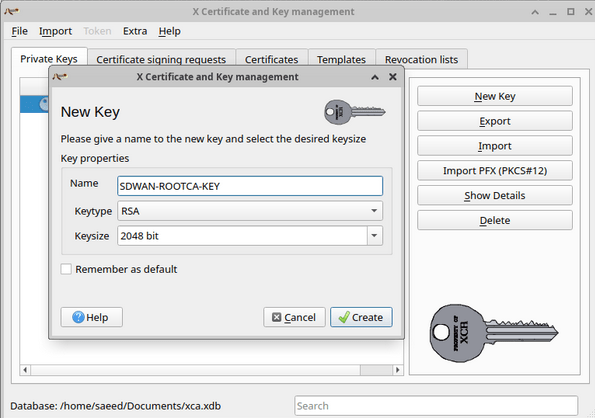
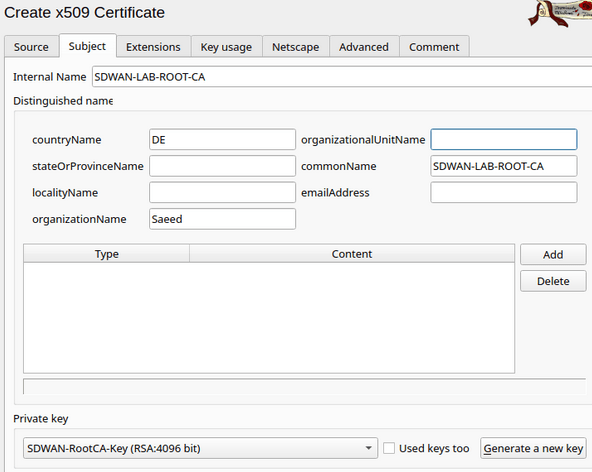
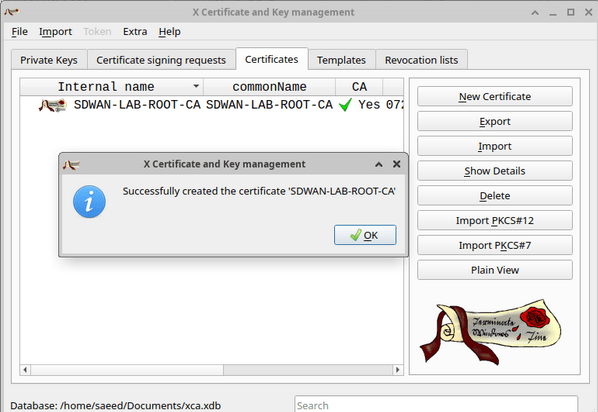
now I have the root Cert:

I should use the same Organization name in Administration setting of vManage:
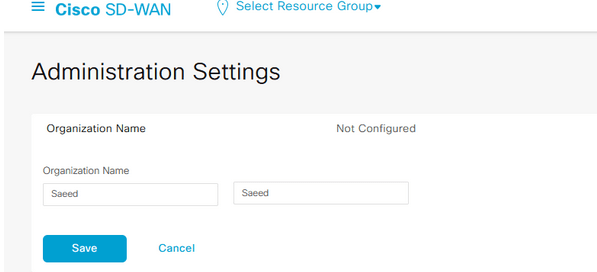
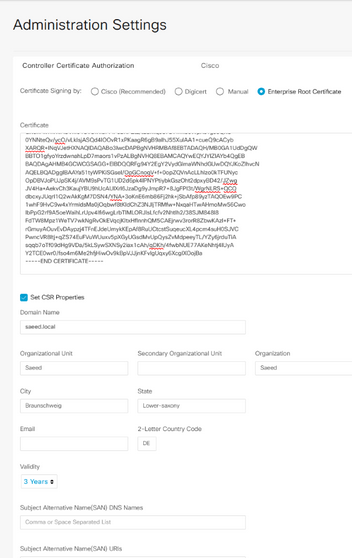
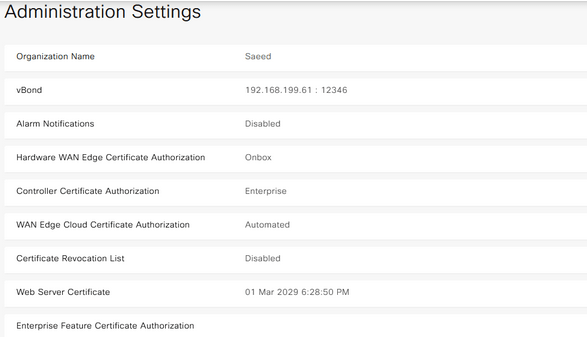
Step 3: Identity Creation (CSR Generation) and Certificate Signing
After adding the root CA, we can create a CSR for vmanage, vsmart, vbond and then sign them with our CA server and install the certificates in vmanage.
A CSR (Certificate Signing Request) is generated.
It includes:
- system-ip
- organization-name
- device identity
In certification section for controllers in vmanage we can generate a CSR for the controllers.
Signing the CSR with CA server:
The CSR must now be signed by a trusted authority: (This is what enables zero-trust onboarding, Only devices with valid certificates can join)
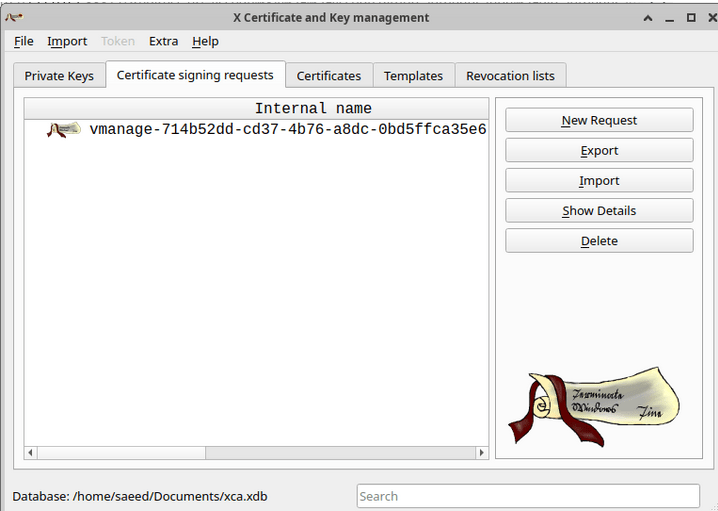
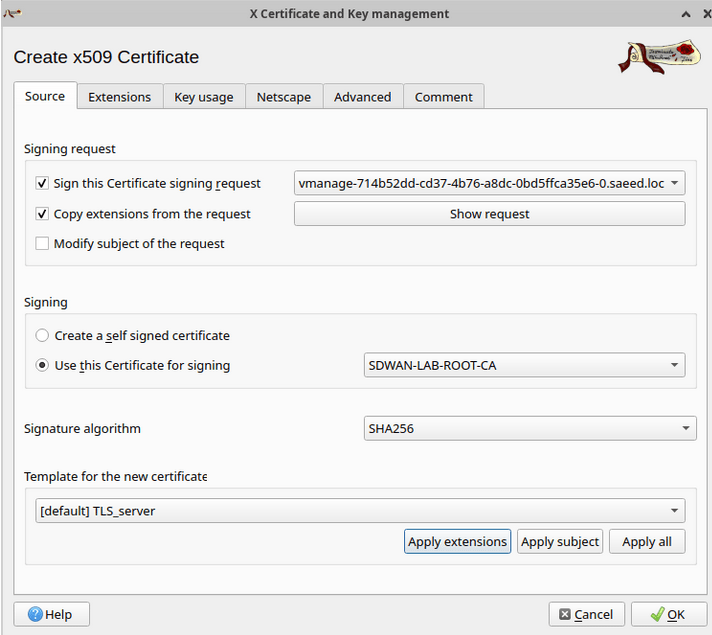
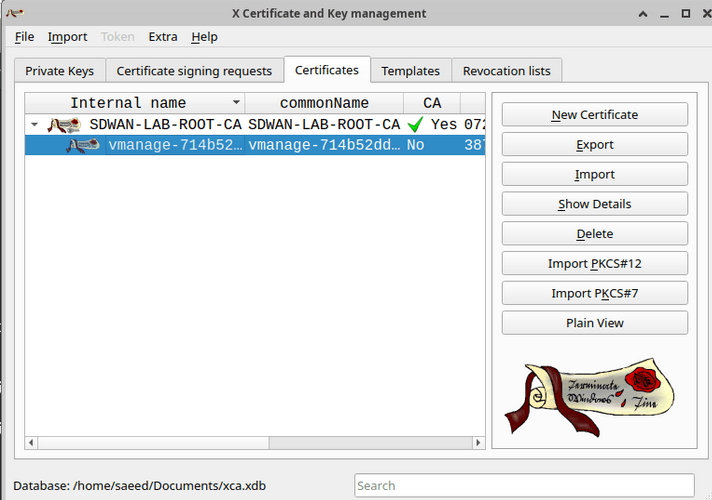
we can export it now.
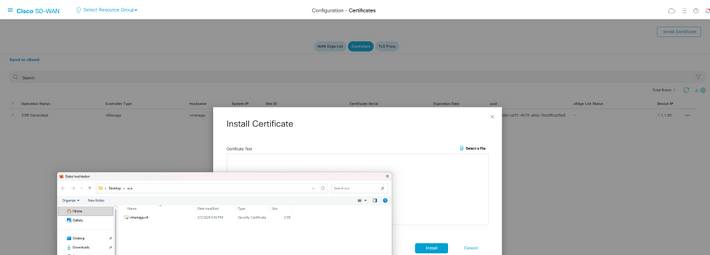
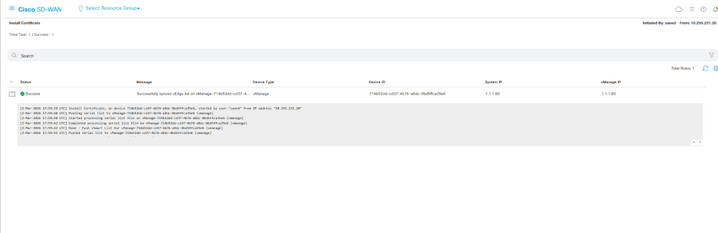
The process is the same for vbond and vsmart.
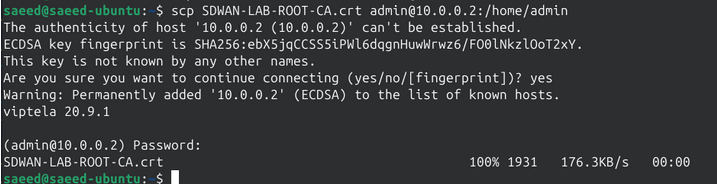
About the edge device, I use the scp to copy the root cert to the device:
on vEdge:

vedge# show certificate root-ca-cert

Certificate:

    Data:

        Version: 3 (0x2)

        Serial Number: 514208215192690861 (0x722d5a5b725e0ad)

        Signature Algorithm: sha256WithRSAEncryption

        Issuer: C=DE, O=Saeed, CN=SDWAN-LAB-ROOT-CA

        Validity

            Not Before: Mar  2 17:28:00 2026 GMT

            Not After : Mar  2 17:28:00 2036 GMT

        Subject: C=DE, O=Saeed, CN=SDWAN-LAB-ROOT-CA

        Subject Public Key Info:

            Public Key Algorithm: rsaEncryption

                RSA Public-Key: (4096 bit)

                Modulus:

                    00:9d:4e:32:49:ef:13:19:54:0d:be:1e:e9:c1:79:

                    14:ae:9b:bd:f9:75:d3:59:0f:73:ef:22:1b:23:27:

                    85:05:c8:0f:79:63:b2:e8:d6:66:73:22:dd:17:f9:
Do not forget to enable tunnel interface on the eth0 if:
vsmart(config)# system

vsmart(config-system)# vpn 0

vsmart(config-vpn-0)# interface eth0

vsmart(config-interface-eth0)# tunnel-interface

vsmart(config-tunnel-interface)# allow-service all

vsmart(config-tunnel-interface)# commit

Commit complete.
Step 4: Installing the root CA on the edge device and onboard it
After uploading the Root certificate to the device, we need to install it:
cEdge01#$request platform software sdwan root-cert-chain install bootflash:Newyorker.crt

Uploading root-ca-cert-chain via VPN 0

Copying ... /bootflash/Newyorker.crt via VPN 0

Updating the root certificate chain..

Successfully installed the root certificate chain

cEdge01#

*Mar  3 13:24:28.266: %Cisco-SDWAN-cEdge01-action_notifier-6-INFO-1400002: R0/0: VCONFD_NOTIFIER: Notification: 3/3/2026 13:24:28 security-install-rcc severity-level:minor host-name:default system-ip:1.1.1.80

cEdge01#
We should upload the Wan edge device list into vmanage in order to be able to on board the wan edges. It is a viptela file which contains also the organization name. I mean the Organization name should be the same with what we have in our certifications and also what we configure in vmanage settings.
After uploding the wan edge list in vmanage we can onboard the edge devices using the token and chassis number of them:
cEdge01#request platform software sdwan vedge_cloud activate chassis-number X token X
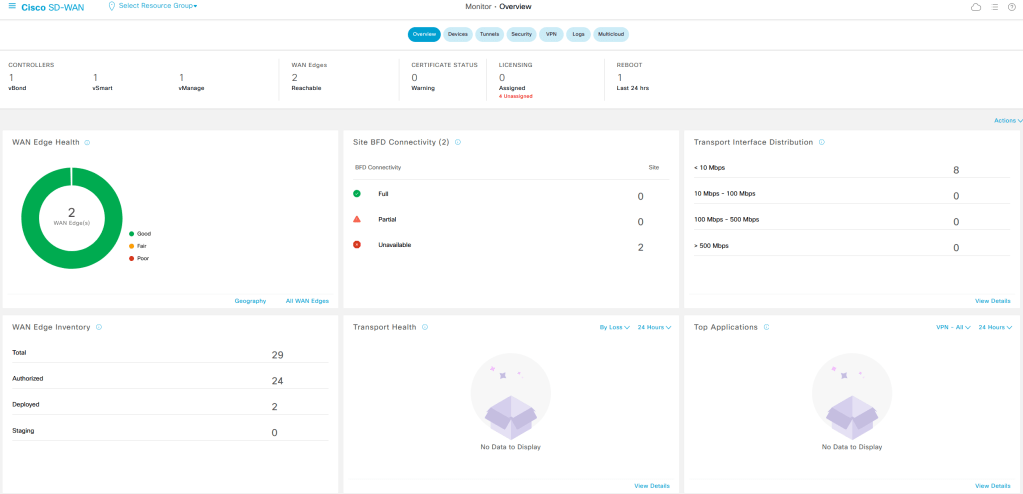
Before onboarding the edge device dont forget to validate them in certification menu of vmanage.

Common Pitfalls
This section is gold for a blog—people love real issues.
- Organization name mismatch → control connection fails
- Wrong root CA → certificate rejected
- No vBond reachability → onboarding stuck
- Clock/time issue → certificate invalid
- NAT misconfiguration → DTLS/TLS fails

Leave a Reply