I want to get the interface Gig2 with RESTCONF using Curl. -v is verbose so we can see the logs.-k is for certificate -H is for header and with +json we define the format of the data.
Restconf is also enabled on the router.
curl.exe -v -k -u developer:C1sco12345 -H "Accept: application/yang-data+json" "https://10.10.20.48/restconf/data/ietf-interfaces:interfaces/interface=GigabitEthernet2"


Result:

*   Trying 10.10.20.48:443...
* schannel: disabled automatic use of client certificate
* schannel: using IP address, SNI is not supported by OS.
* ALPN: curl offers http/1.1
* ALPN: server accepted http/1.1
* Established connection to 10.10.20.48 (10.10.20.48 port 443) from 192.168.254.11 port 54031
* using HTTP/1.x
* Server auth using Basic with user 'developer'
> GET /restconf/data/ietf-interfaces:interfaces/interface=GigabitEthernet2 HTTP/1.1
> Host: 10.10.20.48
> Authorization: Basic ZGV2ZWxvcGVyOkMxc2NvMTIzNDU=
> User-Agent: curl/8.16.0
> Accept: application/yang-data+json
>
* Request completely sent off
* schannel: remote party requests renegotiation
* schannel: renegotiating SSL/TLS connection
* schannel: SSL/TLS connection renegotiated
* schannel: remote party requests renegotiation
* schannel: renegotiating SSL/TLS connection
* schannel: SSL/TLS connection renegotiated
< HTTP/1.1 200 OK
< Server: openresty
< Date: Sat, 31 Jan 2026 12:50:10 GMT
< Content-Type: application/yang-data+json
< Transfer-Encoding: chunked
< Connection: keep-alive
< Cache-Control: private, no-cache, must-revalidate, proxy-revalidate
< Pragma: no-cache
< Content-Security-Policy: default-src 'self'; block-all-mixed-content; base-uri 'self'; frame-ancestors 'none';
< Strict-Transport-Security: max-age=15552000; includeSubDomains
< X-Content-Type-Options: nosniff
< X-Frame-Options: DENY
< X-XSS-Protection: 1; mode=block
<
{
  "ietf-interfaces:interface": [
    {
      "name": "GigabitEthernet2",
      "description": "Network Interface",
      "type": "iana-if-type:ethernetCsmacd",
      "enabled": true,
      "ietf-ip:ipv4": {
        "address": [
          {
            "ip": "1.1.1.1",
            "netmask": "255.255.255.0"
          },
          {
            "ip": "2.2.2.2",
            "netmask": "255.255.255.0"
          }
        ]
      },
      "ietf-ip:ipv6": {
      }
    }
  ]
}
* Connection #0 to host 10.10.20.48:443 left intact
Using postman we can do the same thing easy. We just need to define the Authentication, Heders and payload. I also disabled the ssl-certification verification in setting.
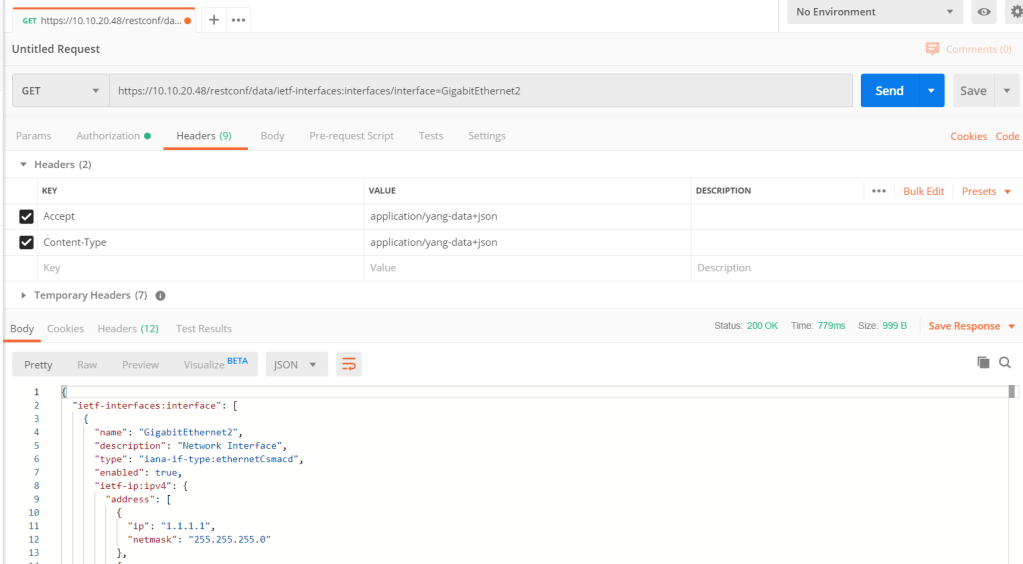
In postman we can also generate the code for example for python!
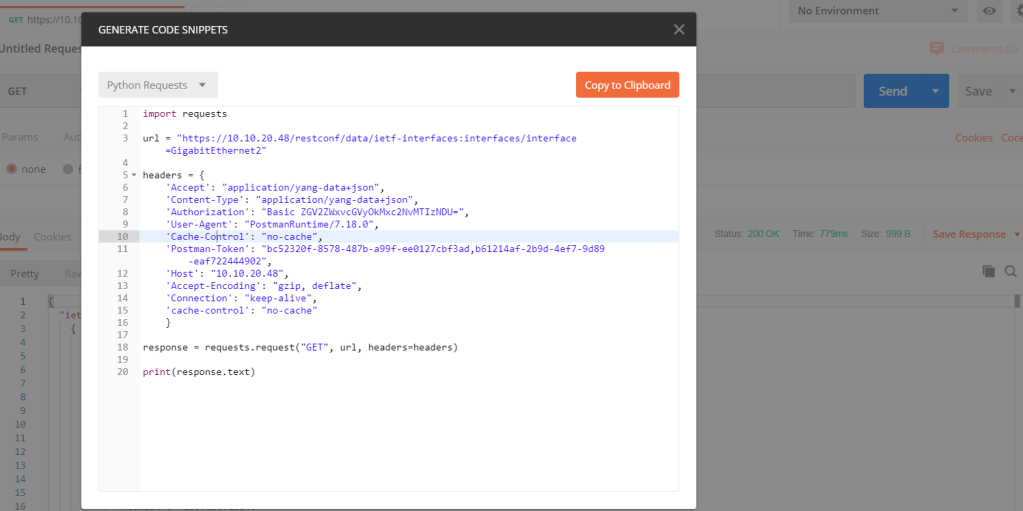
In this code we can see it is using request library.
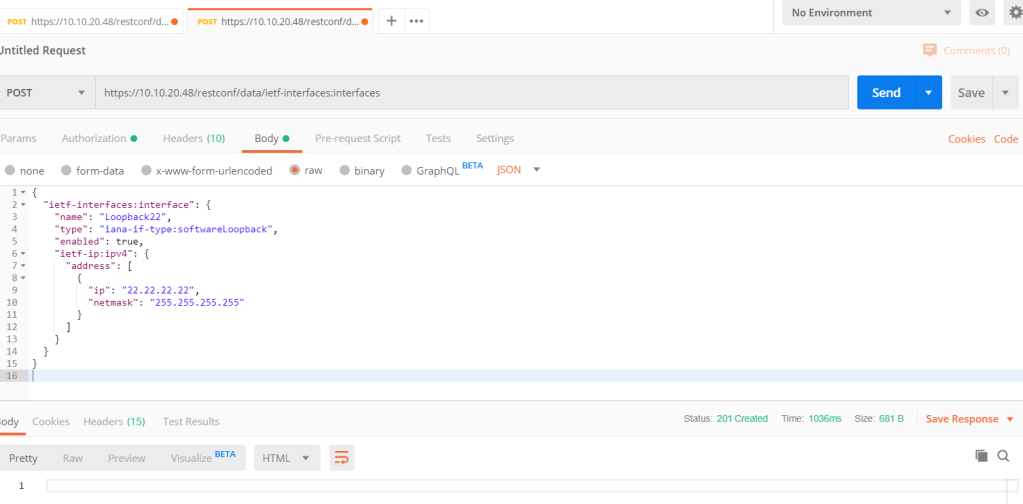
To create a new loopback we use POST with the json data format in body.
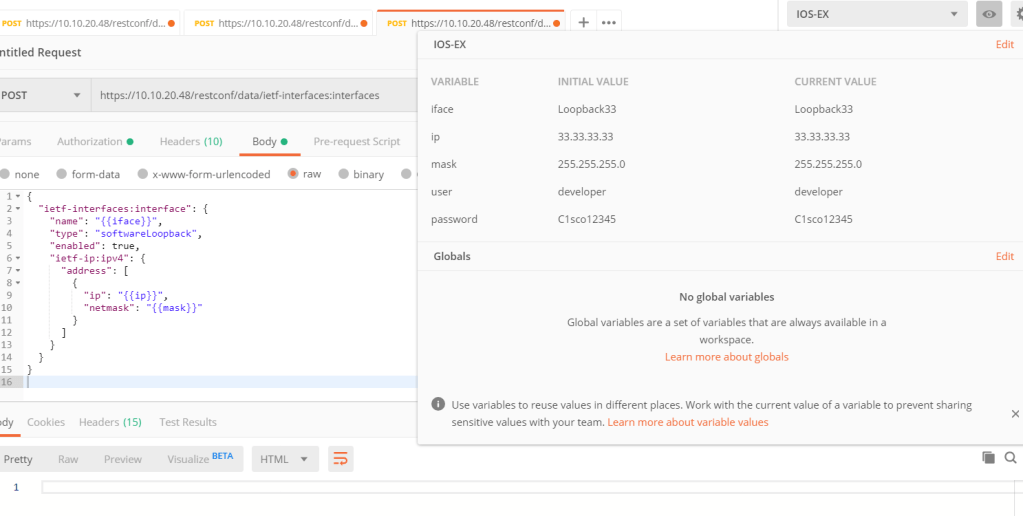
It is possible to use environmental variable in post man. We need to add an environment at first with defined key, values. Then we can use them in body.

Leave a comment